
Record naturally
Capture a short thought from iPhone or Apple Watch without organizing it first.
AI voice notes you can ask later
Turn quick voice notes from iPhone or Apple Watch into editable AI summaries — then search by keyword or ask questions across everything you have saved.
Free to download. Optional subscription unlocks Smart Search, unlimited notes, iCloud sync, and export.
How it works
Capture a short thought from iPhone or Apple Watch without organizing it first.
Turn the recording into a readable note you can review, edit, and save.
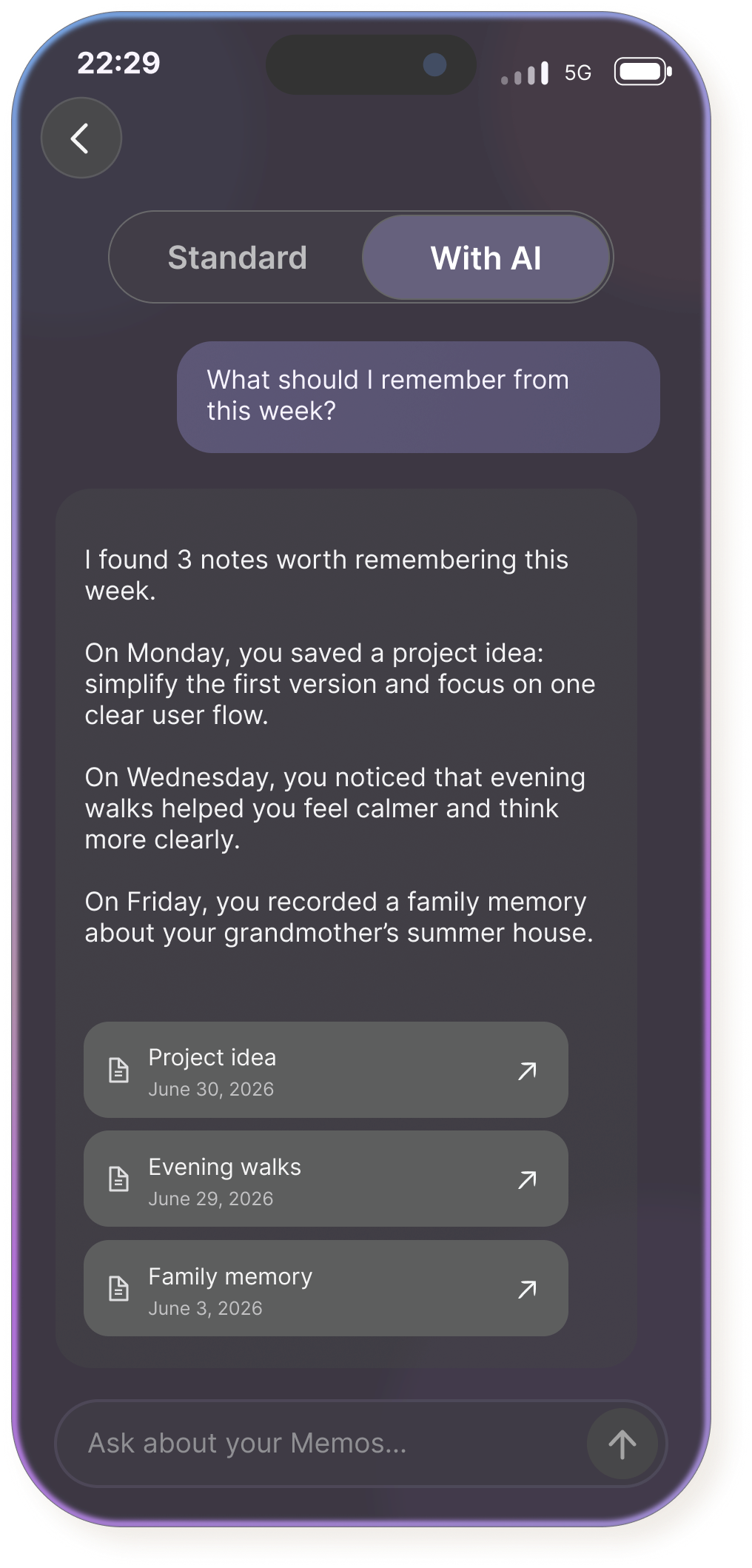
Search saved notes by keyword, or use Smart Search with a subscription to ask questions across your entire note library.
Core features
Voice Memory turns personal voice notes into notes you can revisit, edit, organize, search, and ask about later.
1. Smart Search
Smart Search uses your saved note library to answer natural-language questions about past ideas, decisions, plans, reflections, and memories.
Explore Smart Search across all saved notes.
Available with a subscription.2. AI summary
Rough spoken thoughts become structured notes while preserving the useful context and important details. Explore Voice memo summary.
3. Apple Watch
Capture a thought from your wrist, then continue transcription, editing, organization, and search on iPhone. Explore Apple Watch voice notes.
4. Organization
Store summaries, transcripts, categories, dates, and optional audio together in one personal note library.
Use cases
Record quick personal notes for the moments that matter, then save the meaning in a format you can scan and ask about later.
Talk through your day and save a clear daily reflection.
Catch product ideas, writing ideas, and random thoughts before they disappear.
End the day with decisions, progress, open loops, and next steps.
Save what a place, person, or moment felt like while the details are fresh.
Free and subscription
Voice Memory is free to download. The free version includes the core note experience with limits, while a subscription removes limits and unlocks advanced search, sync, and export.
For trying Voice Memory and keeping a smaller personal note library.
For an unlimited, searchable personal memory library.
Subscription is optional and available inside the app.
Privacy
Saved recordings, transcripts, summaries, categories, edits, private personal notes, and personal history are stored locally on your device. With a subscription, you can enable sync through your personal Apple iCloud account.
AI processing
When you use AI transcription, summaries, or Smart Search, the required audio or text is sent to Replicate for processing. Smart Search can work across all saved notes. AI outputs may be inaccurate, so you can review and edit generated content.
FAQ
A regular voice recorder stores audio. Voice Memory turns short recordings into editable AI summaries, organizes them as saved notes, and lets you find them later with keyword search or ask questions across them with Smart Search.
Smart Search lets you ask natural-language questions across all your saved notes. It can help you find past ideas, decisions, plans, reflections, patterns, and memories without opening each note individually. Smart Search requires a subscription.
Yes. Smart Search works across all notes saved in your Voice Memory library, not only the note currently open. It uses the saved note content needed to answer your question.
Voice Memory is free to download. The free version supports up to 30 saved notes, audio recordings up to 1 minute, and regular keyword search. A subscription removes the note and recording limits and unlocks Smart Search, iCloud sync, and export of all notes.
Yes. The free version includes regular keyword search across saved notes. Smart Search, which answers natural-language questions across all your notes, is available with a subscription.
Yes. You can capture a voice note from Apple Watch, then continue transcription, summary editing, organization, and search on iPhone.
Saved recordings, transcripts, summaries, categories, and edits are stored locally on your device. With a subscription, you can also enable sync through your personal Apple iCloud account. AI features send the required audio or text to Replicate for processing.
Export of all saved notes is available with a subscription.
Get started
Start with one short voice note and turn it into a memory you can actually find again.